




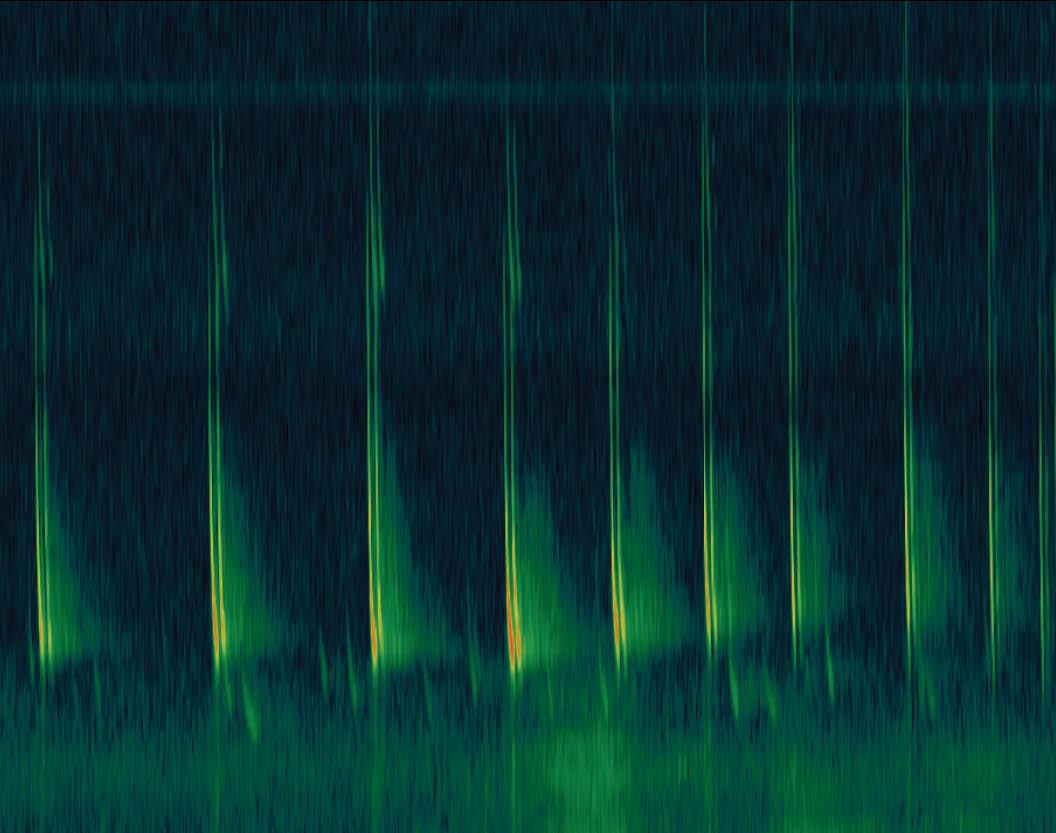
Now that we've reached Autumn and the survey season is over for a majority of species, it's the ideal time to process and analyse the recordings from your bird and bat bioacoustics surveys. Studying hours and hours of data is a daunting task for many ecologists, however Wildlife Acoustics is here to help you analyse faster with Kaleidoscope Pro. This software will help you sort, label, and identify bird songs, frog calls, and other sounds of interest. If you're a bat worker, Kaleidoscope Pro can suggest species identifications from weeks, months, or years of recordings.
We've put together a few FAQs for Kaleidoscope to help you use the software.
Can I try Kaleidoscope Pro for free?
Yes! Download Kaleidoscope for free from the Wildlife Acoustics website. Without a license, the software runs as the very powerful Kaleidoscope Lite. Apply a Kaleidoscope Pro license to activate the high-end analysis features.
If you are interested in the Pro version of Kaleidoscope, then you can either start a two-week free trial, or purchase an annual subscription to Kaleidoscope Pro straight away. The software will revert to Kaleidoscope Lite once the time has elapsed and you haven't purchased another year of subscription.
What is the difference between Kaleidoscope Lite and Pro?
A subscription to Kaleidoscope Pro unlocks some key features that may be very helpful if you have data for large-scale work. Here's whats is included in each version of the software...
Kaleidoscope Lite
- Spectrogram Viewer
- Automatically find animal sounds (only with files created by Wildlife Acoustics Song Meter recorders)
- Manual labelling of calls
- Noise filtering, which scrubs false triggers in bat recordings (works only with files created by Wildlife Acoustics bat detectors)
- File conversion
Kaleidoscope Pro Full License
- All the features of Kaleidoscope Lite plus...
- Bat Call Auto Identification of European, North American, South American and Neotropical species
- Bird Cluster Analysis, which sorts vocalisations into groups for ID
- Build classifiers for ID of future recordings of birds.
- Sound Level Analysis to generate a report of signal levels
- Cloud Storage - never lose your data!
- Cloud Computing. Super computers can run analysis using a managed Cloud Account
- Smart Search recordings based on specific criteria
- Batch process support for non-Wildlife Acoustics created wav files


I've just purchased a Kaleidoscope Pro subscription, what happens now?
Thank you for your purchase! Our sales team will reach out to complete the subscription process with you, but the first thing we ask is for the email address associated with your Wildlife Acoustics account. If you don't have one already, you can create one here. You'll also need to download the software onto your computer, which you can do from here.
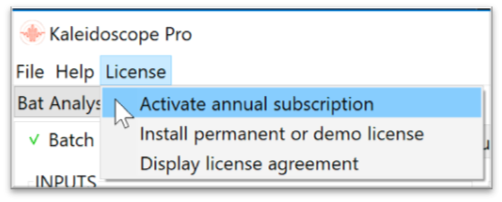
Once we've confirmed your registered email address, we will transfer a subscription credit to your account which can be used to unlock the features of Kaleidoscope Pro for one year. To use your credit, navigate within the software to License -> Activate Annual Subscription.
How do subscription credits work?
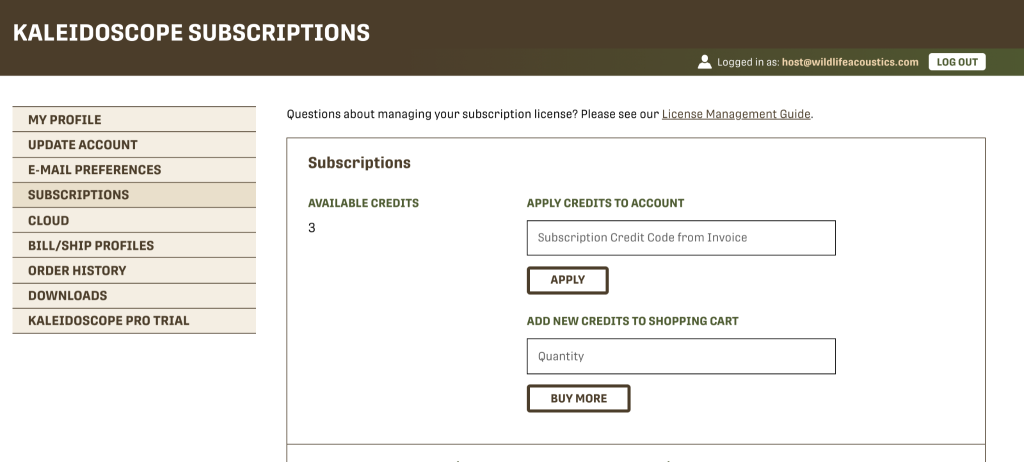
Kaleidoscope Pro uses credits to help you manage your subscription. You can have multiple 'unused credits' on your account, which these can sit idle until you are ready to activate your annual subscription. Once a credit has been used, your status will change to 'Subscribed' and you will have a start and expiry date of one year.
Unused credits can be transferred between accounts, shared with guest accounts (if you have purchased a credits for yourself and colleagues, for example) or will be automatically used to renew your subscription for another year once the expiry date has been reached.
How many users can one license support?
An annual subscription is designed to support one user on up to two devices. This gives the user flexibility to have Kaleidoscope downloaded on both an office desktop and their laptop while remote working. If you will have multiple users carrying out your analyses, we recommend that each user has their own Wildlife Acoustics account, and subscription.
Are permanent licenses available?
Permanent licenses are available to purchase as a one-off cost. These grant the user access to Kaleidoscope Pro in perpetuity, however they are generally not recommended by Wildlife Acoustics as software updates are not supported.
A Kaleidoscope Pro annual subscription will ensure you will always have the most up-to-date version of the software and support.
I no longer use the software, and my subscription is active. Can another person use my subscription?
If you no longer use the software and would like to transfer the rest of your annual subscription to a colleague, you are able to share your subscription by adding them as a guest. In this situation, the host retains control of the subscription so can revoke and reassign the subscription to a new guest.
Make sure you follow these steps:
- Log into your Wildlife Acoustics account and navigate to SUBSCRIPTIONS.
- Click RELEASE next to the email address of the user whose subscription license you want to give to someone else.
- A “Released” subscription means that the right to use the software has been removed from any computers the Guest used it on. It is still linked to the original user, but it is now ready to be reassigned.
- If the new user is neither yourself nor someone already on your Guest list, enter the new user's email address into the text box under “Add a guest to share your subscription credits,” then click ADD GUEST.
- If the Guest already has a Wildlife Acoustics account, enter the email address associated with that account.
- If the Guest does not have a Wildlife Acoustics account, the Guest must create a Wildlife Acoustics web account using the email address you entered.
- The Guest's email address will appear in the Subscriber list.
- Under "Reassign from released subscription email address," enter the original user's email address that you just released.
- Under "Reassign to an unsubscribed or expired email address," enter the new user’s email address.
- Click REASSIGN
Can I use files from non-Wildlife Acoustics recorders?

Kaleidoscope Pro is compatible with 8-bit and 16-bit pulse-code-modulated (PCM) WAV files, Wildlife Acoustics' WAC and W4V format compressed audio files, and Anabat-compatible zero-crossing files. Kaleidoscope does not open 24-bit or 32-bit WAV files.
Kaleidoscope Lite is designed to work specifically with .wav and .zc files created by Wildlife Acoustics and may or may not work with recorders from other manufacturers.
Where can I learn more?
If you have any further, or more in-depth questions, Wildlife Acoustics have further FAQs on their website for both the software and license management. A PDF user guide to Kaleidoscope is included in a download of the software, but you can also find it here.
Wildlife Acoustics regularly host training sessions for Kaleidoscope at a range of skill levels and for various time-zones, as well as hosting several webinars each year focusing on bioacoustics research. You can also keep up to date by signing up to our newsletter.
Who can I reach out to for support?
If you need any help with your subscription management or using the software, you can reach out to our friendly sales team for help either by email, or over the phone on 01451 833181. Alternatively, you can contact the Wildlife Acoustics support team, based at their HQ in Boston, MA.