




Whether you're monitoring wildlife, surveying roosting bats, or checking habitat activity, thermal cameras have become invaluable tools for ecologists. However, to get the most out of your device, it’s essential to understand the basic settings and how they can impact performance. This guide walks you through the key steps to ensure you’re set up for success.
1. How do thermal cameras work?
Thermal cameras detect infrared radiation (heat) emitted by objects and convert it into an image. Warmer objects, like animals, stand out against cooler backgrounds, making them useful for spotting wildlife, even in darkness or dense vegetation.
2. Are thermal imagers useful for all types of wildlife surveys?
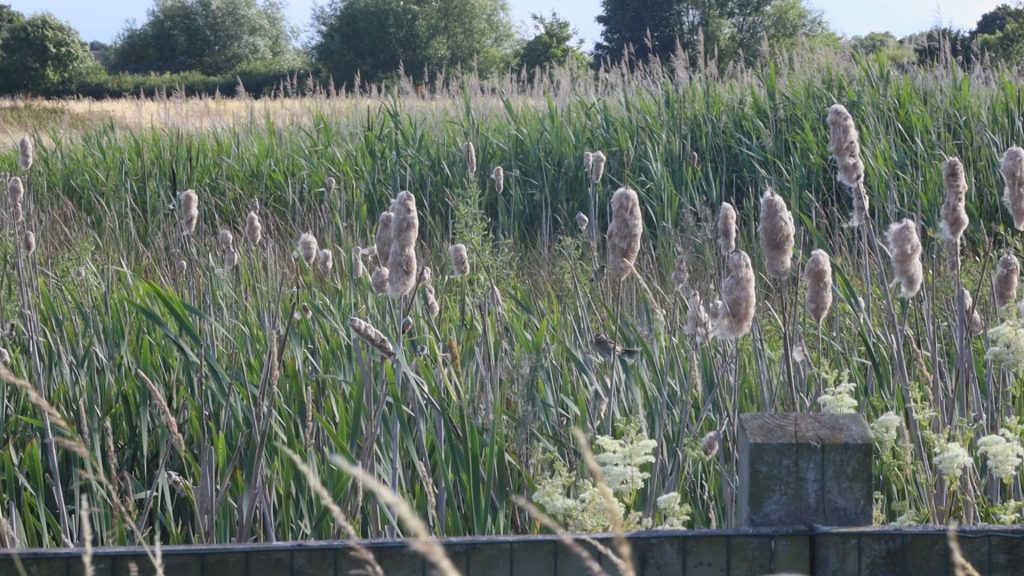
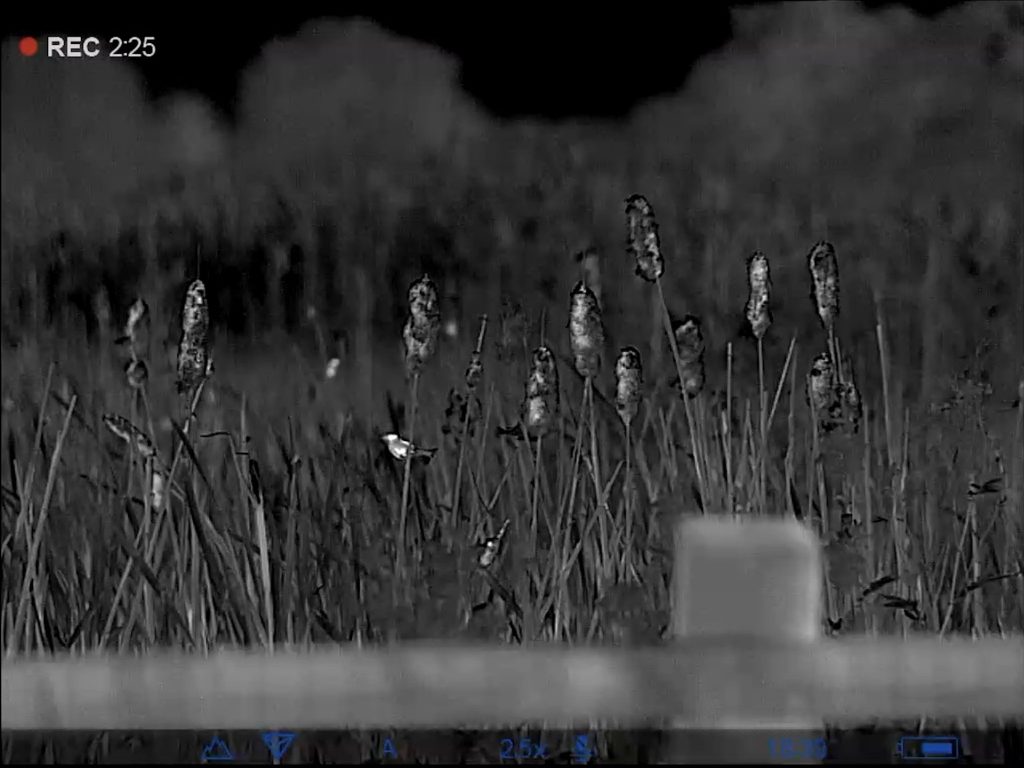
They are particularly effective for detecting mammals, birds, and even some insects at night or in low visibility conditions. See the images below of how the heat of camouflaged Reed Warblers stands out clearly in the reed beds. However, they may be less effective for cold-blooded species like reptiles and amphibians, as they don’t generate much heat.
3. Can thermal cameras see through vegetation or water?
Thermal imagers can detect heat signatures through sparse vegetation but struggle with dense foliage. They cannot see through water, glass, or other solid barriers.
4. What resolution do I need for wildlife surveys?
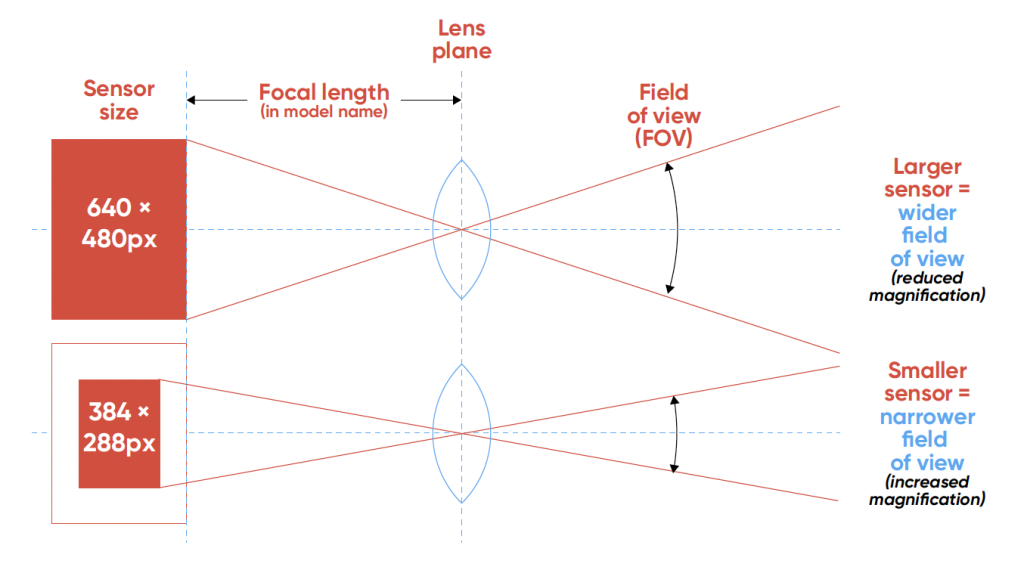
Higher-resolution sensors (e.g. 640 x 480 pixels or above) provide clearer images and better detail, which is important for species identification. Lower resolutions may be sufficient for detecting the presence of heat sources but not finer details.
5. How do I find a thermal imager with a wide field of view?
The field of view of a thermal imager is generally inversely proportional to the lens size. Thermal cameras currently on the market range from 6mm to 50mm; sizes of 15, 25 or 35mm are the most suitable for surveying, while 35mm and above are more suitable for longer-distance spotting.
6. Do thermal cameras work in all weather conditions?
They function in complete darkness, mist, and light rain but can be affected by heavy rain, fog, or extreme cold, which can reduce contrast and image clarity.
7. Can I record images and videos?
Most models allow you to capture still images and video with timestamps, which is useful for documentation and later analysis. Check the device specifications to confirm storage capacity and recording options.
8. What’s the battery life of a thermal imager?
Battery life varies by model but typically ranges from 3 to 10 hours. Most devices have removable rechargeable batteries, which can be useful for extended surveys as you can keep a spare to hand if caught short.
10. Can I use a smartphone thermal camera for wildlife surveys?
Smartphone thermal attachments can be useful for close-range work but often have lower resolution and detection range compared to dedicated thermal imagers. They may not be suitable for professional surveys requiring detailed observations.
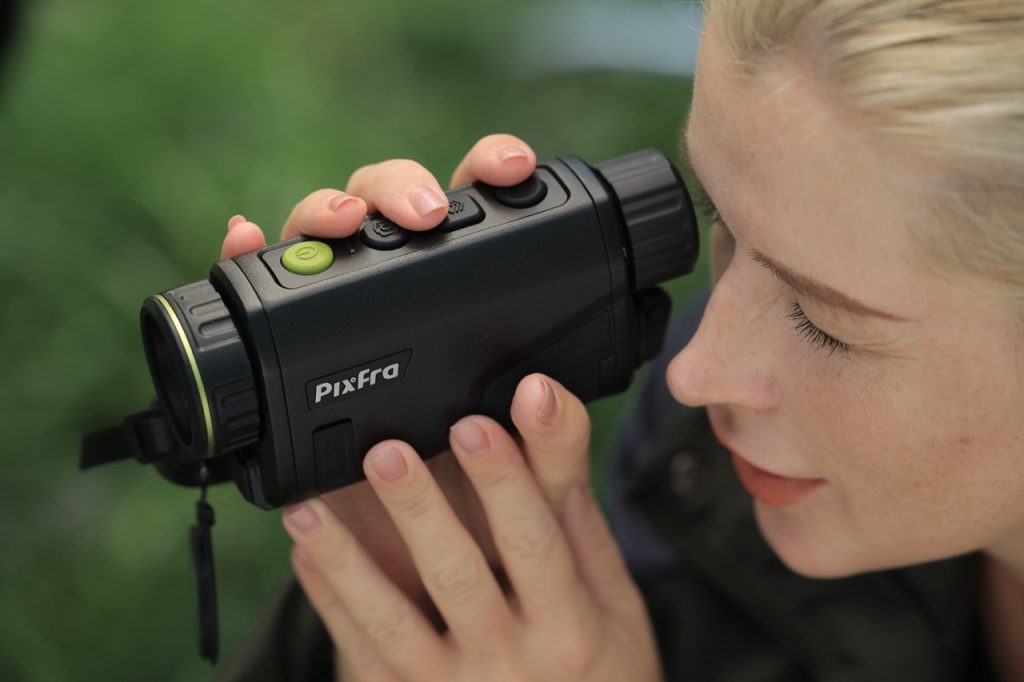
11. Can I focus the thermal imager?
One of the most common mistakes when using a thermal camera is neglecting to focus it properly. Many users expect to pick it up and immediately get a clear picture, but optimal performance requires a couple of simple adjustments.
Dioptre focus (Eyepiece): With the lens cap still on, look through the eyepiece and adjust the rear dial until the numbers displayed on-screen appear crisp. You’re not focusing the image itself yet—just aligning the screen to suit your eyesight, especially if you wear glasses. Everyone’s eyes are different, and this step ensures the display is sharp for you.
Objective focus (Lens): Once your dioptre is set, remove the lens cap and adjust the front focus ring based on the distance of your target. For example, a badger 10 yards away will need a very different setting to a deer 150 yards off. This fine-tuning is critical for capturing a sharp image.
12. How do I look after my thermal imager?
Like any piece of kit, the better you look after your thermal camera, the more reliable it will be in the field. Take the time to understand the settings menu—not only can you customise image quality, but also manage things like power-saving features and password protection. Being prepared means fewer surprises during surveys, and better results when it matters most.
13. How do I choose the right thermal imager for my survey needs?
Consider factors like detection range, resolution, field of view, NETD and battery life. If unsure, feel free to get in touch – we’re happy to help find the best fit for your work! Alternatively, please read our blog on choosing the best thermal imager for your needs.
Thermal cameras are incredibly powerful tools in the ecologist’s toolkit. But as with any specialist equipment, a bit of knowledge goes a long way. By taking the time find the right match for your needs, and understanding its capabilities, you'll ensure your device performs at its best—helping you get clearer images and more reliable data in the field.